Amazon Alexa - Install Guide
Photo & description
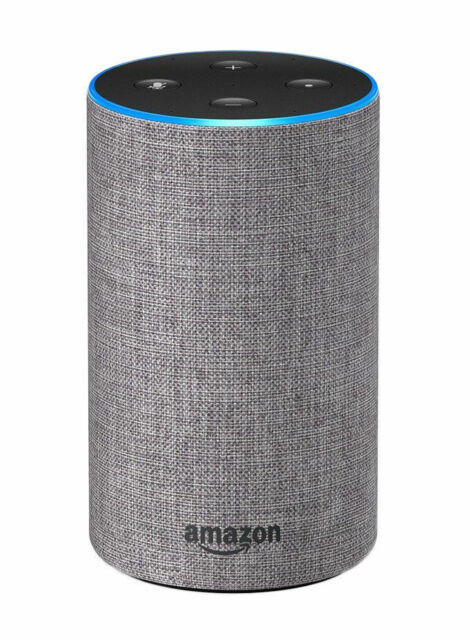
iZone is native to Amazon Alexa, so voice controlling your iZone system is simple to set up and use.
Installation
Before you get started
Here are some useful tips to achieve a better iZone / Alexa experience:
- Name the devices, zone names etc. so they are easy to pronounce. If possible, avoid using numbers and symbols in the names
- Try to use Alexa's jargon. Device / zone names in this guide are highlighted for reference — you'll need to substitute these with the names used on your own system
Link Amazon Alexa & iZone Worldwide accounts
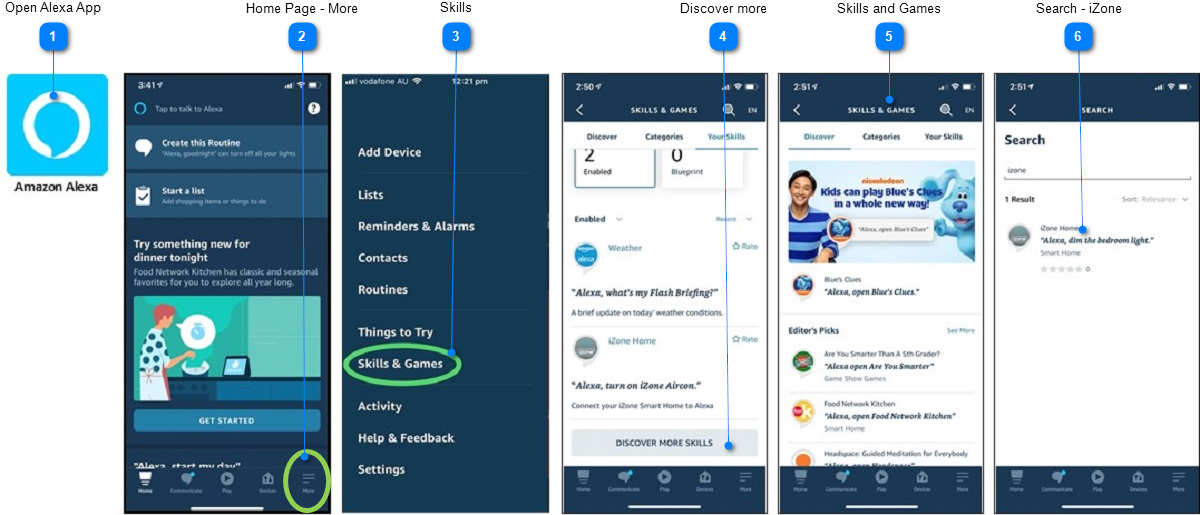
- Open Alexa App
- Home Page - More: Go to the home page and click on the "More" button
- Skills: Navigate down to Skills and Games
- Discover More: If you already have some Skills selected, press "Discover More Skills"
- Skills and Games: On the Skills and Games screen, use the search feature to find "iZone"
- Search - iZone: Click on the iZone App logo
- iZone Worldwide: You will be taken to the iZone Worldwide login page. Enter the email and password you use for iZone Worldwide access, then press Login. Alexa will discover all your iZone devices