Dimmer switch module
Part number: CACDSW
Overview
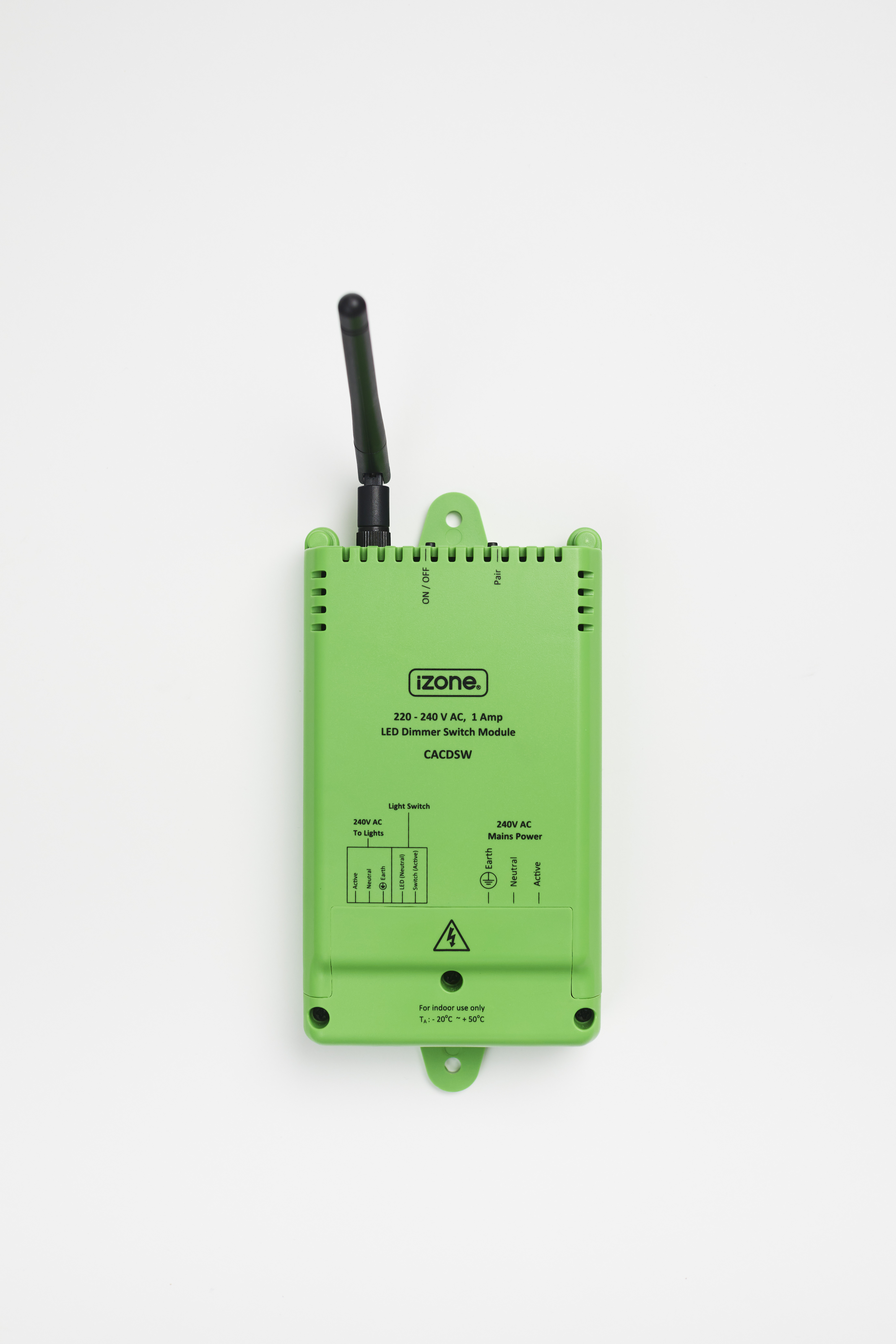
The CACDSW is a hard-wired LED dimmer module that interfaces with an existing wall switch, allowing compatible LED lighting circuits to be controlled from the wall switch or through the Nova user interface when paired with a Smart Hub (COCBH). Unlike the Dimmer module (CACD), the CACDSW is designed to work with the customer's existing wall switch rather than an iZone wireless switch.
Installation Guides
This product must be installed by a licensed electrician in accordance with AS/NZS 3000.
Physical Installation
- Isolate the mains power before starting any work.
- Remove the dimmer switch module from its packaging.
- Remove the terminal cover to expose the wiring terminals.
- Wire the module to the LED lighting circuit as shown on the module casing.
- Connect the existing wall switch and switch LED (if fitted) to the appropriate terminals.
- Mount the module in a suitable indoor location, such as the roof space.
- Ensure the antenna is tightened and pointing vertically upwards.
- Restore power and test the lighting circuit using the manual On/Off button.
Pairing with Nova
- Ensure the dimmer switch module is powered on.
- Press the Pair button on the module.
- From the Nova user interface, navigate to Menu → Devices → Add Device (+) → Switches & Modules → Dimmer Module.
- Press Pair.
- The blue LED beside the pair button will flash to indicate the module is pairing.
- Rename the module to something meaningful, such as Kitchen Lights or Dining Lights, to make it easier to identify within Nova.
Documents
User Guides
Controlling the Dimmer Module
- From the Nova home screen, select Categories.
- Select Lights.
- Select the light you wish to control.
- From this page you can:
- Turn the light on or off.
- Adjust the brightness.
Pinning the Dimmer Module
For quicker access, a light can be pinned to the Nova home screen.
- Open Categories → Lights.
- Select the light you want to pin.
- Press the Pin icon.
- The light will now appear on the Nova home screen for quick access.
Troubleshooting
No known issues.
Specifications
| Specification | Description |
|---|---|
| Model number | CACDSW |
| Certification | AS/NZS 61058, C-Tick N29007 |
| Power supply | 220–240VAC 50Hz |
| Power consumption | 2.05W maximum (relay on, no load) 1.2W minimum (relay off) |
| Maximum connected load | 1A |
| Connection | Hard wired |
| Control frequency | 433MHz |
| Operating temperature | -20°C to +50°C |
| Environment | Suitable for indoor use only |
| Dimensions | 150H × 85W × 36D mm (excluding antenna and mounting lugs) |
| Weight | 220g |
Firmware and Updates
TBC