iSense controller
Part number: CZCOW
Overview
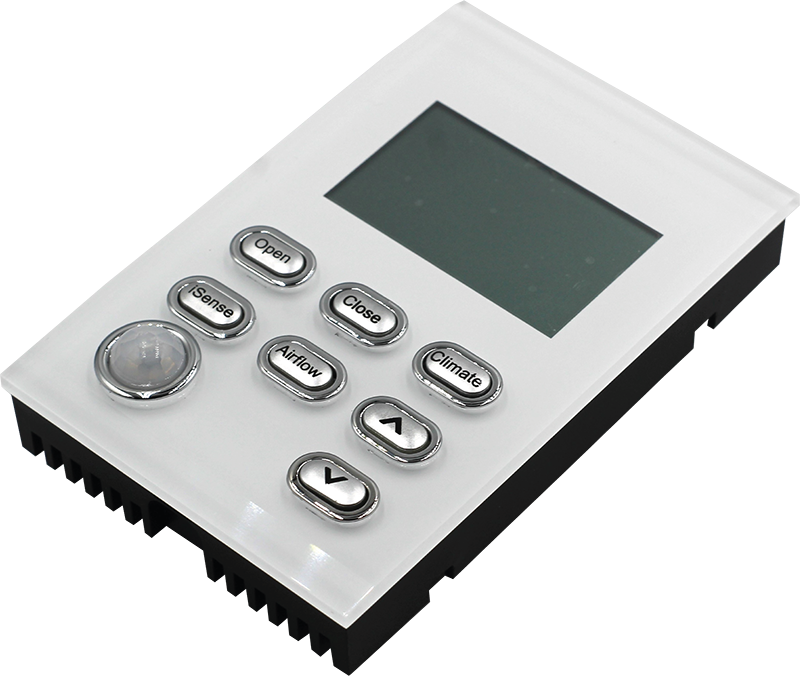
The CZCOW is a wired zone controller with the ability for the end user to adjust set points, airflows for a particular zone. The CSCOW also incorporates an occupancy sensor that can be configured to adjust the set point or close the zone or both if no movement is detected after a period of time. Variants available for black (CZCOB), ocean mist (CZCOO) and white (CZOW) facia.
Installation Guides
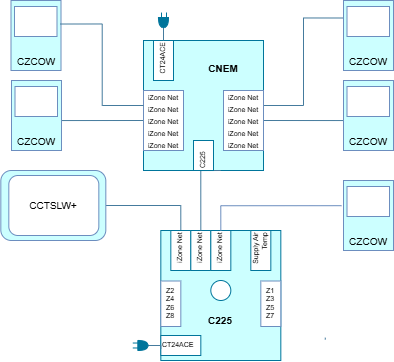
Connect an iSense Controller directly to a CPU Module (C225) in any available iZone Net port or connect multiple iSense Controllers using a Network Extention Module (CNEM).
User Guides
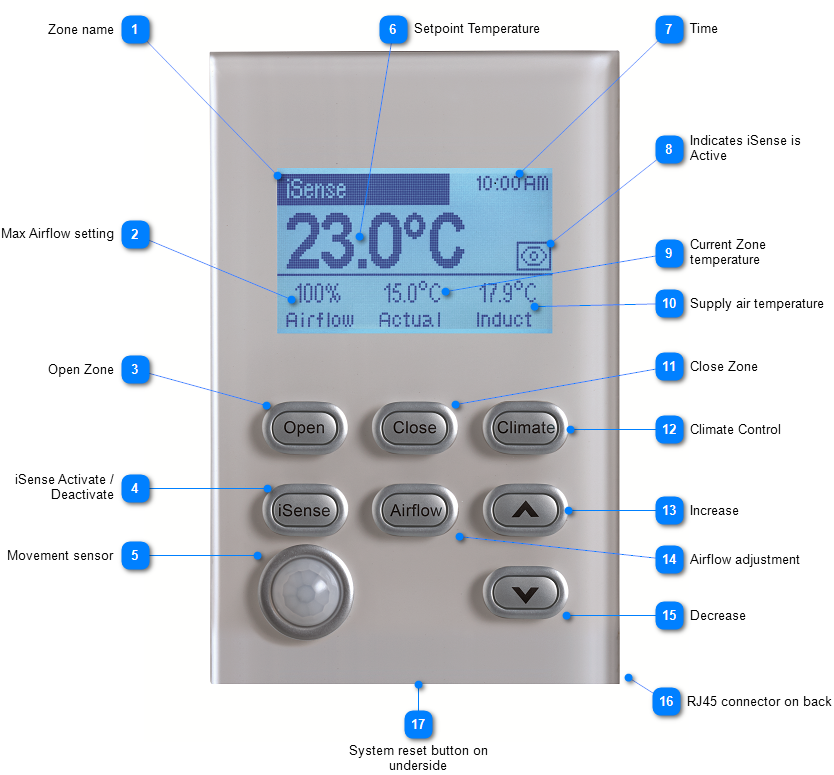
- Zone name: The Zone name is displayed here. It can be changed on the touch screen or via the App
- Max Airflow setting: The current airflow setting is displayed here. It can be adjusted by pressing the airflow button and using the increase and decrease buttons to adjust the maximum airflow
- Open Zone: Press here to open the zone fully. (It will open to the maximum airflow setting)
- iSense Activate / Deactivate: Press here to activate or deactivate the iSense control. When activated the eye will open and the controller will be looking for movement to
- Press and hold this button to configure the iSense settings
- Movement sensor: The sensor looks for movement to automatically control the zone
- Setpoint Temperature: This is the desired set point temperature. In the climate control mode press the increase and decrease arrows to change the setpoint temperature
- Time: Displays the iZone system time. This can be changed on the touch screen or in the App
- Indicates iSense is Active: An open eye indicates the movement sensor is active. If the eye is closed the movement sensor has been deactivated and will not automatically control the zone from movement in the room
- Current Zone temperature: This is the actual temperature in the zone at present.
- Supply air temperature: This the temperature of the supply air in the ductwork. (Indicative only)
- Close Zone: Press here to close the zone to its minimum setting
- Climate Control: Press here for the zone to automatically open and close to control the temperature in the zone It will be overridden if the iSense is active and the room is not occupied for the required time
- Increase: Use this button to increase the setting
- Airflow adjustment: Press this button to change the maximum airflow to the zone.
- Decrease: Use this button to decrease the setting
- RJ45 connector on back: The RJ45 connects CFC12S or CFC25S to a C225 or CNEM modules
- System reset button on underside: The reset button is recessed on the underside of the controller If pressed the whole iZone system will go into initialisation and reset
Troubleshooting
No known issues.
Specifications
| Specification | Description |
|---|---|
| Power supply | From RJ45 connector |
| Movement detector | Range - 7 meters (approx.) Viewing angle - 120⁰ (approx.) |
| Communications | RJ45 CAN |
| Operating temperature | -14⁰C to 80⁰C |
| Number of sensors | 1 to 14 (RJ11) |
| Dimensions | 20H x 72W x 116L mm |
| Weight | 132g |
Firmware and Updates
CZCOW 1.5 - Jun 2024
- Remove left over pixels in the calibration and home screens (IRD-287)