Irrigation controller
Part number: CRCT
Overview
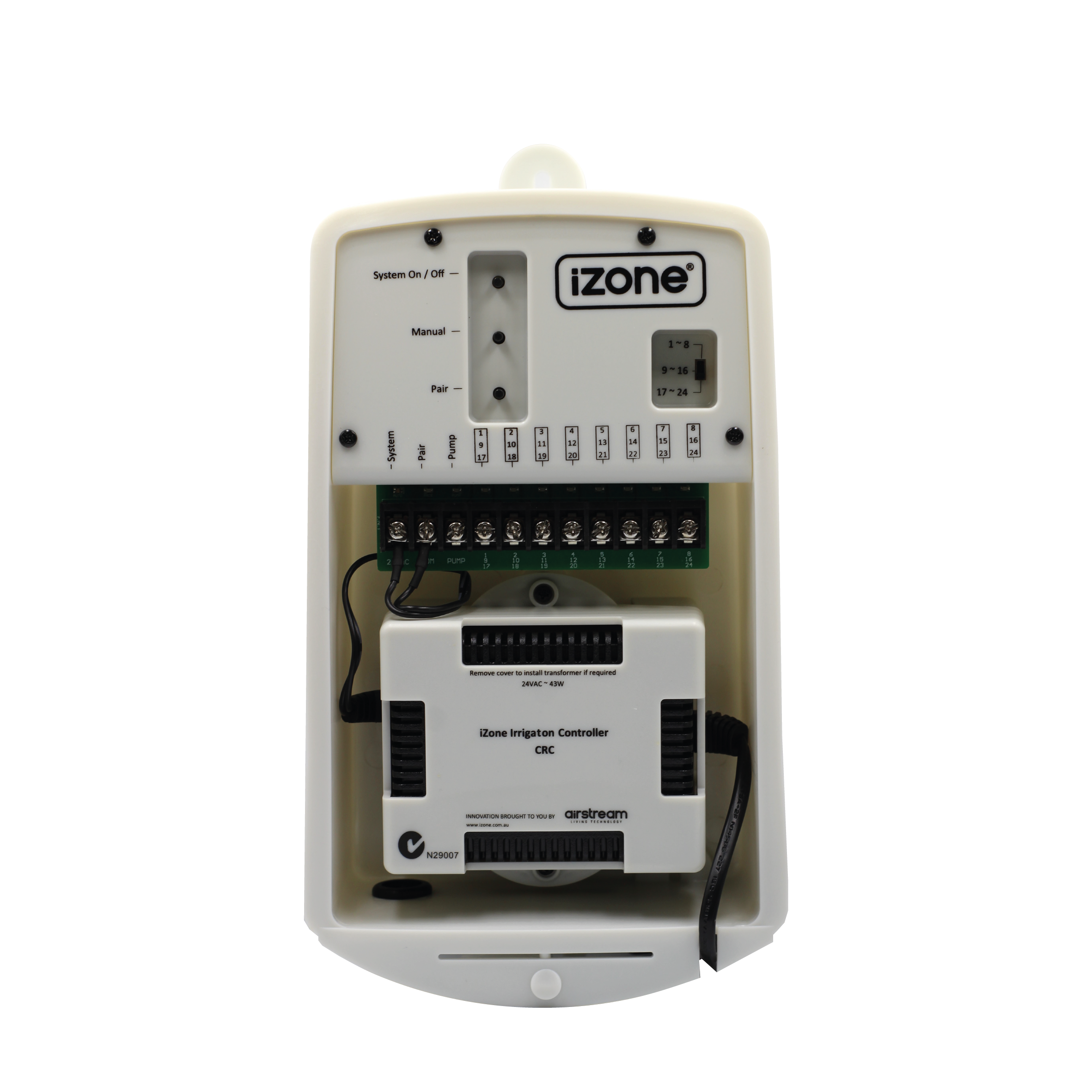
The CRCT is an irrigation controller that provides automated control of up to 8 watering stations, expandable to 24 stations using additional controllers. It supports weather-based watering adjustments, soak and cycle operation, and remote control through the Nova user interface when paired with a Smart Hub (COCBH).
Installation Guides
Physical Installation
This product must be installed by a licensed electrician in accordance with AS/NZS 3000.
- Remove the irrigation controller from its packaging.
- Mount the controller securely to a wall using the mounting holes provided.
- Wire the solenoid valves and pump/master valve (if used) as shown in the wiring diagrams.
- Install the supplied 24VAC transformer.
- Connect the 24VAC supply and common wiring to the controller terminals.
- Check that all wiring connections are secure.
- If installing additional controllers for stations 9–24, set the station selector switch to the appropriate station range before pairing.
Pairing with Nova
- Switch the irrigation controller on.
- Press the Pair button on the irrigation controller.
- From the Nova user interface, navigate to Menu → Devices → Add Device (+) → Irrigation -> Irrigation Controller.
- Press Pair.
- The blue Pair LED will flash rapidly while the controller pairs.
- If additional irrigation controllers are installed, pair each controller individually after setting its station range.
- Rename the irrigation controller to something meaningful, such as Front Garden or Back Lawn, to make it easier to identify within Nova.
Documents
User Guides
Controlling Irrigation
- From the Nova home screen, select Categories.
- Select Irrigation.
- Select the irrigation controller you wish to manage.
- From this page you can:
- Start or stop watering.
- Control individual watering stations.
- View configured irrigation zones.
Pinning Irrigation
For quicker access, an irrigation controller can be pinned to the Nova home screen.
- Open Categories → Irrigation.
- Select the irrigation controller you want to pin.
- Press the Pin icon.
- The irrigation controller will now appear on the Nova home screen for quick access.
Troubleshooting
No known issues.
Specifications
| Specification | Description |
|---|---|
| Model number | CRCT |
| Power supply | 24VAC 50Hz |
| Power consumption | Dependent on connected solenoid valves (minimum 3.6W including transformer losses) |
| Compatible valves | All 24VAC solenoid valves |
| Control frequency | 433MHz |
| Operating temperature | -5°C to +60°C |
| Environment | Suitable for indoor or outdoor use |
| Dimensions | 295H × 165W × 82D mm |
| Weight | 1650g (including transformer) |
Firmware and Updates
TBC