Smart downlight
Part number: CL5DW
Overview
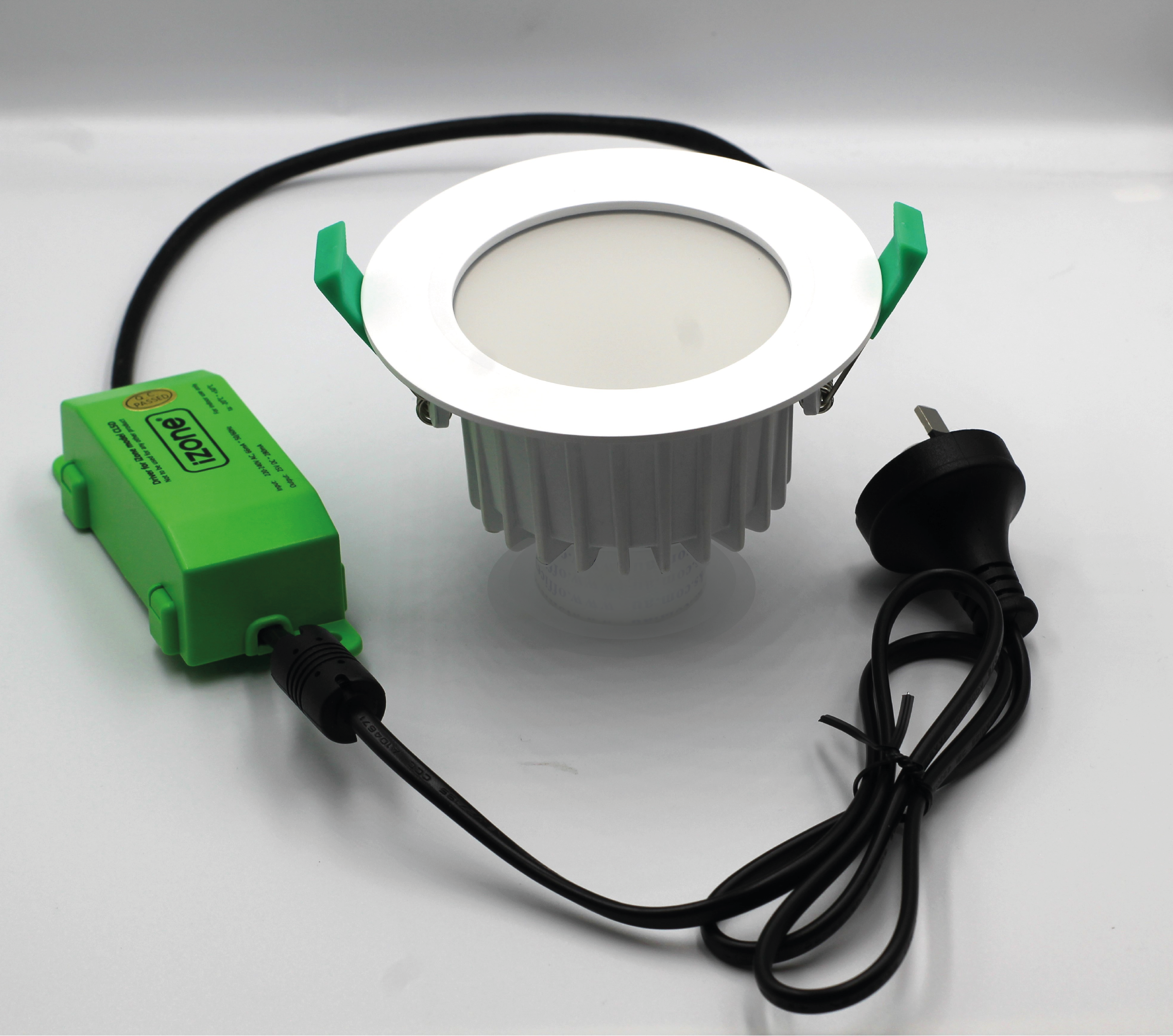
The CL5DW is a smart LED downlight with integrated RF control. It fits standard 90 mm downlight cut-outs and is dimmable using the Nova user interface when paired with a Smart Hub (COCBH). Available in multiple colour temperature variants.
Installation Guides
This product must be installed by a licensed electrician in accordance with AS/NZS 3000.
Physical Installation
- Isolate the mains power before starting any work.
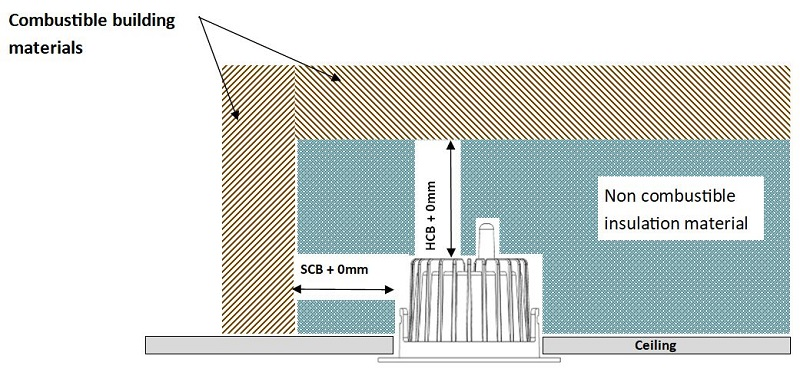
- Install the downlight with the required clearances from combustible building materials.
- Connect the supplied driver to the mains power.
- Rotate the spring clips upwards and gently insert the downlight into a standard 90 mm ceiling cut-out.
- Restore power to the lighting circuit.
- Ensure the lighting circuit remains permanently powered. Do not install the downlight on a circuit controlled by a conventional wall dimmer.
Pairing with Nova
- Ensure the downlight is powered on and flashing red. If it is not flashing red, factory reset the light before attempting to pair.
- From the Nova user interface, navigate to Menu → Devices → Add Device (+) → Lights → RGB Light.
- Confirm the light is flashing red by selecting the checkbox.
- Press Pair.
- Once successfully paired, the downlight will change from flashing red to green.
- Rename the light to something meaningful, such as Kitchen, Living Room, or Master Bedroom, to make it easier to identify within Nova.
Documents
User Guides
Controlling the Downlight
- From the Nova home screen, select Categories.
- Select Lights.
- Select the light you wish to control.
- From this page you can:
- Turn the light on or off.
- Adjust the brightness.
- Change the light colour.
- Select the colour temperature (where supported).
Pinning the Downlight
For quicker access, a light can be pinned to the Nova home screen.
- Open Categories → Lights.
- Select the light you want to pin.
- Press the Pin icon.
- The light will now appear on the Nova home screen for quick access.
Troubleshooting
Specifications
| Specification | Description |
|---|---|
| Model number | CL5DW |
| Certification | AS/NZS 60598.2.2, AS/NZS 61347.2.13, C-Tick N29007, IP44, IC-4, SAA |
| Power supply | 220–240VAC 50Hz |
| Transformer | 25V DC, 280mA (SELV Equivalent) |
| Power consumption | 9W maximum, 0.22W standby |
| Brightness | 523.7 Lumens |
| Beam angle | 88.9° |
| Control frequency | 433MHz |
| Operating temperature | -20°C to +50°C |
| Environment | IP44 rated, suitable for indoor use |
| Cut-out size | 90mm |
| Dimensions | 69H × 109.6D mm (51mm height without antenna cover) |
| Weight | 154g (excluding transformer and lead) |
Firmware and Updates
TBC