Nite Wall Controller
Part number: CLCSW
Overview
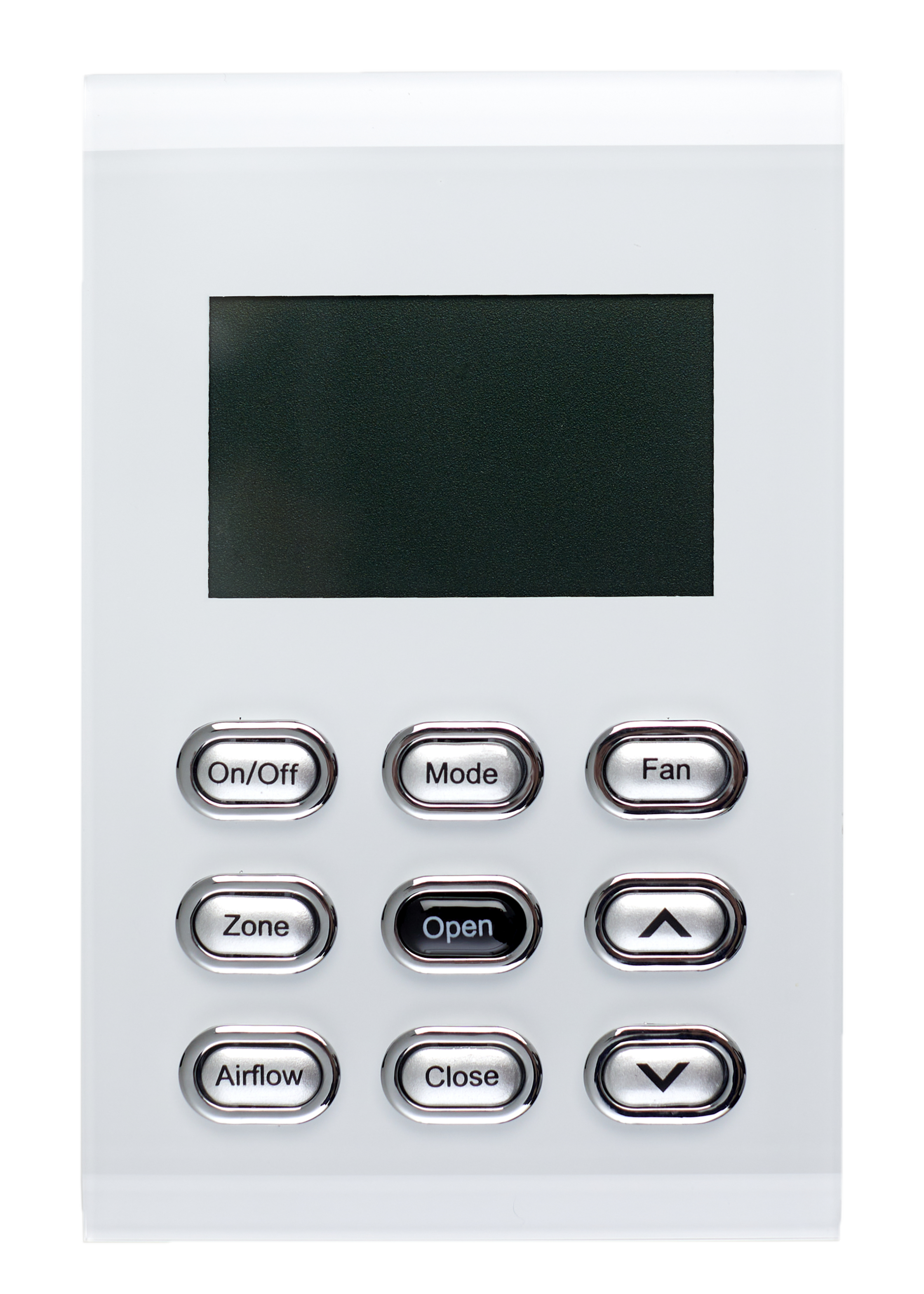
The CLCSW is the LCD wall controller forms part of the Nite Zone Control Kit (C210K). The CLCSW is a wired wall controller with the ability for the end user to adjust set point, airflows, open/close zones, adjust fan speed and AC mode control. The CLCSW does not have individual temperature control available.
Installation Guides
The CLCSW connects with the 6-Zone Nite CPU (C155) via a 12m CAT5 cable (CFC12S). To enter the settings menu, go to the home screen, then press and hold the Open button for 3 - 5 seconds until the Settings menu appears.
Use the navigation arrows to move up and down through the menu. Click the Open button to make changes to the desired setting. Use the navigation arrows to select the new setting. Click the Open button again to save the new selected setting.
User Guides
Refer to the user guide within the Nite Zone Control Kit (C210K). Button operation explained:
- On/Off - Turn AC unit on/off
- Mode - Change AC mode from Cool, Heat, Vent, Dry mode
- Fan - Change AC fan speed e.g. Low, Medium, High
- Zone - Shows all the available zones in the home. Use the up and down navigation arrows to select the required zone
- Tap Open to open the zone
- Tap Close to the close the zone.
- Tap Airflow to adjust the airflow and then choose between 5%-100% at 5% increments until you select the desired amount of airflow in the zone
Troubleshooting
Specifications
| Specification | Description |
|---|---|
| Power supply | From RJ45 connector |
| Casing material | Polycarbonate and ABS plastic |
| Operating temperature | Room temperature |
| Communications | iZone CAN communication via CAT5 |
| Dimensions | 20H x 75W x 116L mm |
| Weight | 132g |
Firmware and Updates
CLCSW 1.2 - Dec 2024
- Fix Wi-Fi status display
CLCSW 1.1 - Mar 2024
- Add brightness setting
- Fix two-digit number display
- Add network connected icon
CLCSW 1.0 - Apr 2023
- First release