In-duct temperature sensor
Part number: CDTS
Oveview
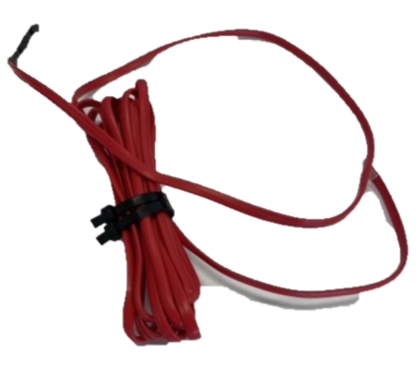
The In-duct temperature sensor (CDTS) monitors the supply air temperature inside the ductwork. It is required on any system that uses iZone zone temperature sensors for climate control. It tells the CPU Module (C225) when to reverse damper action between heating and cooling modes.
Installation Guides
- Install the CDTS in the supply air plenum as close to the AC indoor discharge as possible, upstream of all zone dampers
- Insert the probe fully through the duct wall and secure with reinforced aluminium tape
- Seal around the probe entry point with aluminium tape to prevent air leaks
- Connect the RJ11 cable to the CDTS port on the CPU Module (C225) — not a zone port
- Power on the system and verify the CDTS shows a supply air temperature reading on the wall controller
The CDTS is only required when zone temperature sensors (e.g. Wireless Zone Temperature Sensors (CRFSW)) are used. It is not needed for open/close-only zone systems. It is however recommended to always install a CDTS to record the supply air data for support purposes.
User Guides
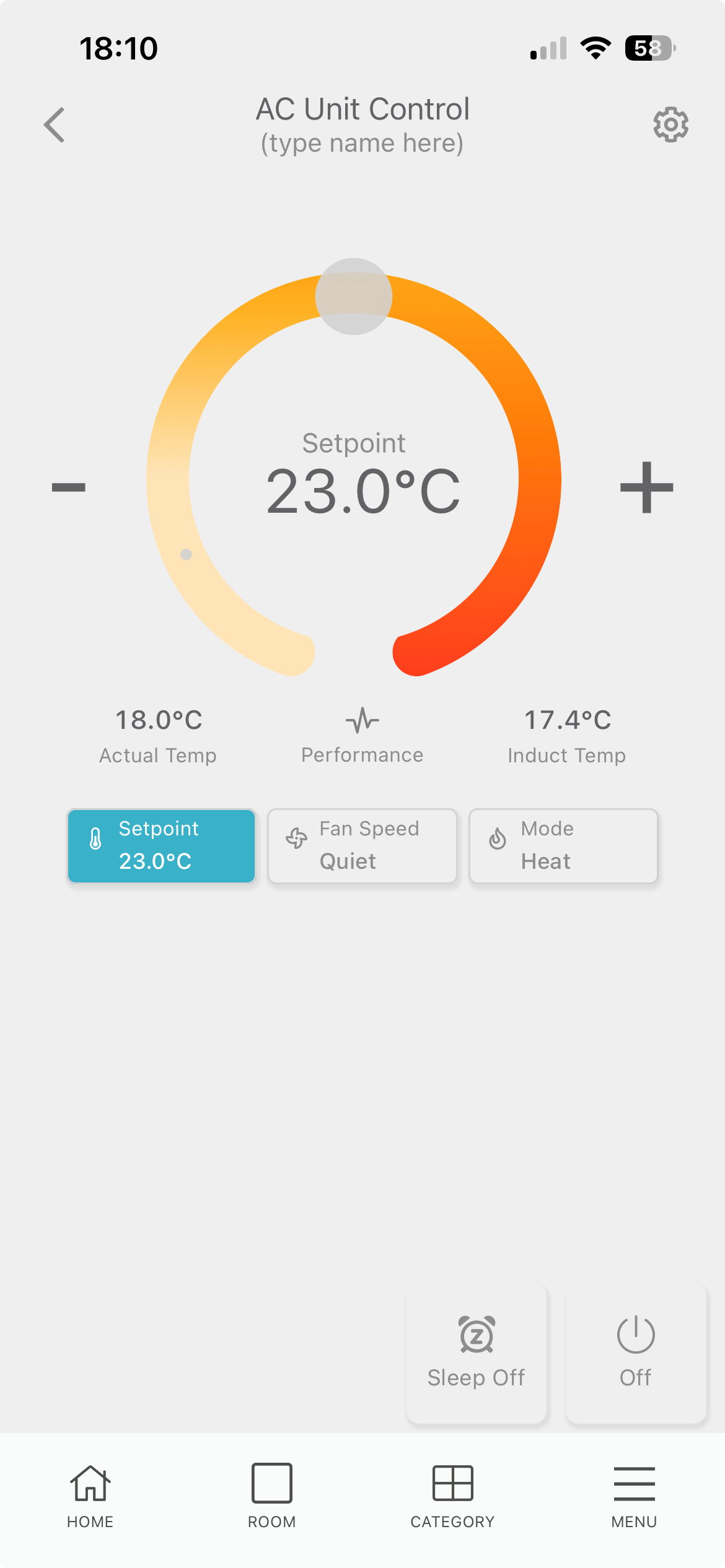
To view the In-duct temperature reading on the Nova interface tap on CATEGORIES → Air conditioning → AC Unit
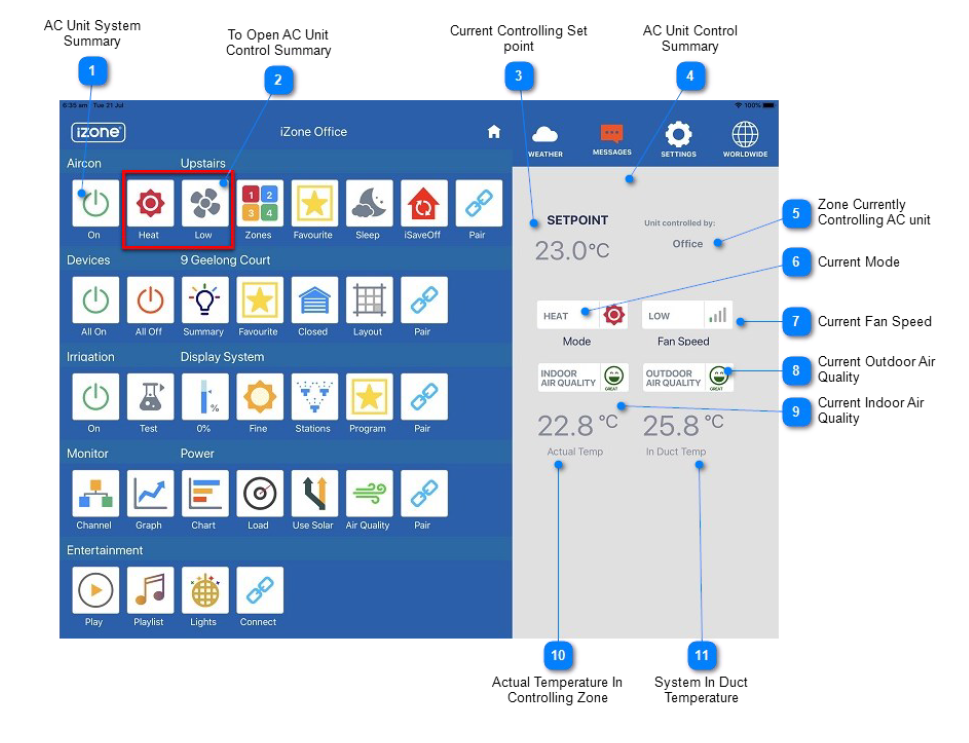
To view the In-duct temperature reading on the Nexus interface tap on the AC unit control summary icons
Troubleshooting
No known issues.
Specifications
| Specifiation | Description |
|---|---|
| Power supply | Power from C225 via RJ11 |
| Connection | RJ11 plug |
| Temperature range | -14 to 85°C |
| Cable length | ~3000 mm |
| Weight | 50g |
Firmware and Updates
No firmware information