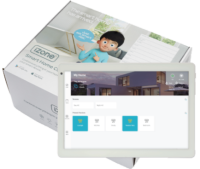
Nova CAT connection kit

Part number: C546K


Descriptionโ€‹

Nova climate control kit using a CAT5 connection between the CSL Screen Link Module and the 10โ€ณ Nova wall controller. Includes COCBH Smart Hub for iZone Home app connectivity.

note

Up to three CSL modules can be stacked on a single C225 CPU with no additional transformer.


Installation guideโ€‹

Installation steps

1. Assemble modules

Connect CSL to C225, then attach C325# AC unit module. If using CEXT: C225 โ†’ CSL โ†’ CEXT โ†’ C325#

2. Pair CSL and run CAT5

Pair the CSL to the C225 CPU, then run Cat5e to the CCASLWE Nova wall controller.

3. Wire zone dampers

Connect zone damper motors to C225 zone ports starting at Zone 1 consecutively.

4. Connect AC unit

Wire the indoor unit per the C325# requirements for the installed brand.

5. Power up

Apply power via CT24ACE. Verify status LEDs on all modules.

6. Commission via the Nova

Tap Setup, enter Installer Code, select AC brand, configure each zone.

7. Pair temperature sensors (if fitted)

Install CDTS upstream of all dampers first. In the iZone app: Menu โ†’ Devices โ†’ + โ†’ Sensors โ†’ Temp Sensor โ†’ select zone โ†’ press and hold sensor pair button.

8. Connect to internet

Connect COCBH Smart Hub to Wi-Fi modem after commissioning is complete.


Specificationsโ€‹

EntryDescription
CPUC225
Power supply24VAC 50Hz via CT24ACE
Wall controllerCCASLWE โ€” 10โ€ณ Nova touch screen (CAT5)
CommunicationsWired CAN Bus ยท Wireless 433MHz (iZone proprietary)
Number of zones0 to 8 (expandable to 14 with CEXT)
Operating temperatureUp to 65ยฐC

Included inโ€‹

Part numberDescription
C2258-zone CPU
CT24ACE24VAC power supply
CSLScreen Link Module โ€” connects CPU to Nova via Cat5e
C325#AC unit interface module โ€” brand specific
COCBHSmart Hub โ€” manages CPU โ†” Nova communication and iZone Home app
CCASLWENova wall controller โ€” 10โ€ณ touch screen (CAT5)
CDTSIn-duct temperature sensor (required if using zone temperature sensors)


Documentsโ€‹


Troubleshoot guideโ€‹

Read more

Nova wall controller screen is blank or unresponsive

The Nova or Nova Mini touch screen fails to power on or goes black.

Steps to resolve:

  1. Check the power supply (CTDC12) connection to the Nova wall controller
  2. Check the Cat5e cable between the CSL Screen Link Module and the Nova โ€” try a different port on the CSL
  3. Re-pair the CSL to the C225 CPU if the connection has been lost
  4. Replace the cable if the issue persists
  5. If still unresolved, contact your installer โ€” the CSL or C225 CPU may need to be replaced

Zones are not opening or responding

One or more zones are unresponsive when commanded from the Nova wall controller.

Steps to resolve:

  1. Move the zone motor cable to a different port on the C225
  2. In the Nova app, go to Setup โ†’ Configure AC โ†’ Options โ†’ Skip Zone Port (password: wamfud) and skip the faulty port
  3. Verify the CT24ACE transformer is powered and outputting ~24VAC
  4. Check all wiring connections are fully seated

Note: On Daikin systems, it can take up to two minutes for dampers to open after a command is sent.


Nova controller not communicating with C225 CPU

The Nova wall controller shows no connection to the system.

Steps to resolve:

  1. Confirm the COCBH Smart Hub is powered and the Nova shows the Wi-Fi symbol
  2. Re-pair the CSL to the C225 if pairing has been lost
  3. Ensure the Smart Hub was not connected to the internet modem before commissioning was completed โ€” if it was, disconnect it, factory reset the COCBH, and recommission the system
  4. Add a repeater (CR) if the Smart Hub is out of range of the C225

Temperature sensor not showing actual temperature

A zone shows no temperature reading despite having a sensor fitted.

Steps to resolve:

  1. Press the button on the sensor โ€” if no lights appear, the battery needs replacing (CR2032)
  2. If the sensor flashes instead of showing solid red or blue, it needs re-pairing: press and hold the pair button, then pair through Menu โ†’ Devices in the iZone app
  3. Ensure the CDTS in-duct sensor is installed upstream of all dampers in the supply air duct
  4. Check the sensor is not obstructed by furniture or exposed to direct sunlight

Firmware historyโ€‹

Read more
3.77
  • Added TCL ducted AC integration
  • Fixed Brivis reset command and quick on/off issue
  • Added AC On with Zone feature
  • Added zone grouping (Daikin only)