Garage door control kit
Part number: CGDK
Overview
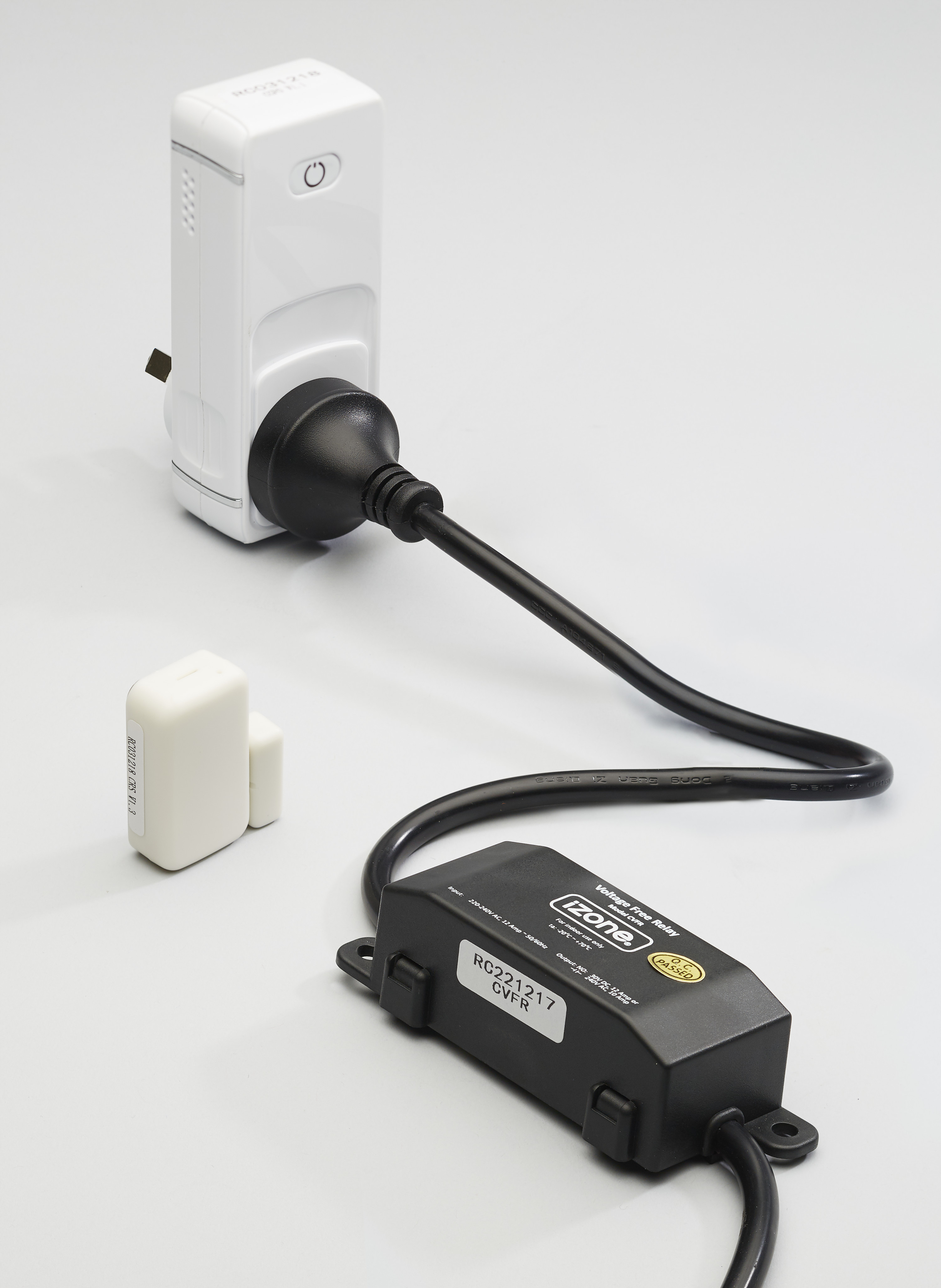
The CGDK is a garage door control kit that allows compatible garage doors to be controlled from the Nova user interface when paired with a Smart Hub (COCBH). The kit consists of an iZone Smart Plug, Voltage Free Relay and Reed Switch, allowing the garage door to be opened, closed and monitored.
Installation Guides
Physical Installation
- Pair and configure the Smart Plug, Voltage Free Relay and Reed Switch before installation.
- Plug the Voltage Free Relay into the iZone Smart Plug.
- Connect the Voltage Free Relay terminals to the existing garage door controller.
- Mount the Reed Switch to the garage door and door frame.
- If the existing GPO has two outlets, plug both the Smart Plug and garage door controller into the existing GPO.
- If only a single GPO is available, install a double adaptor to power both the Smart Plug and the existing garage door controller.
- Test the garage door several times after installation to ensure correct operation. If required, adjust the pulse length and test again.
Pairing with Nova
- Pair the Smart Plug using the Nova user interface.
- Rename the Smart Plug to something meaningful, such as Garage Door.
- Pair the Reed Switch.
- Group the Smart Plug and Reed Switch together.
- Edit the Smart Plug configuration and change the device type from Smart Plug to Garage Door.
Documents
User Guides
Controlling the Garage Door
- From the Nova home screen, select Categories.
- Select Garage Doors.
- Select the garage door you wish to control.
- From this page you can:
- Open the garage door.
- Close the garage door.
- View the current door status.
Pinning the Garage Door
For quicker access, a garage door can be pinned to the Nova home screen.
- Open Categories → Garage Doors.
- Select the garage door you want to pin.
- Press the Pin icon.
- The garage door will now appear on the Nova home screen for quick access.
Troubleshooting
No known issues.
Specifications
TBC
Firmware and Updates
TBC