Nexus User Guide
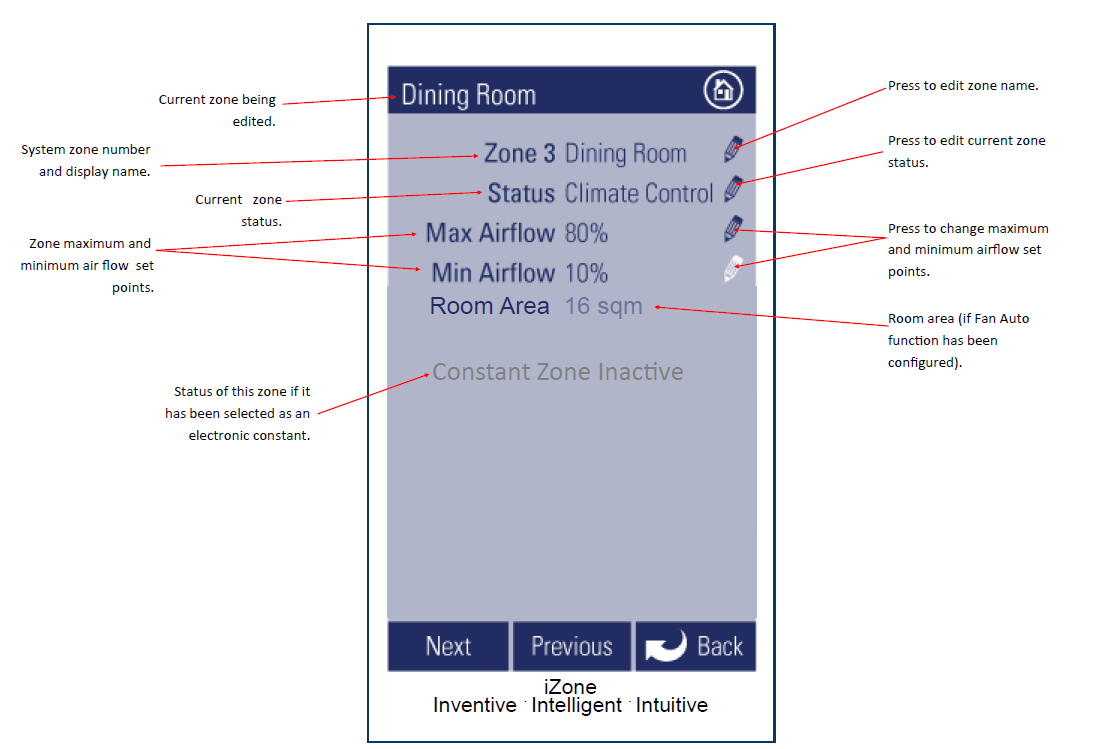
Edit Zone Names & Settings
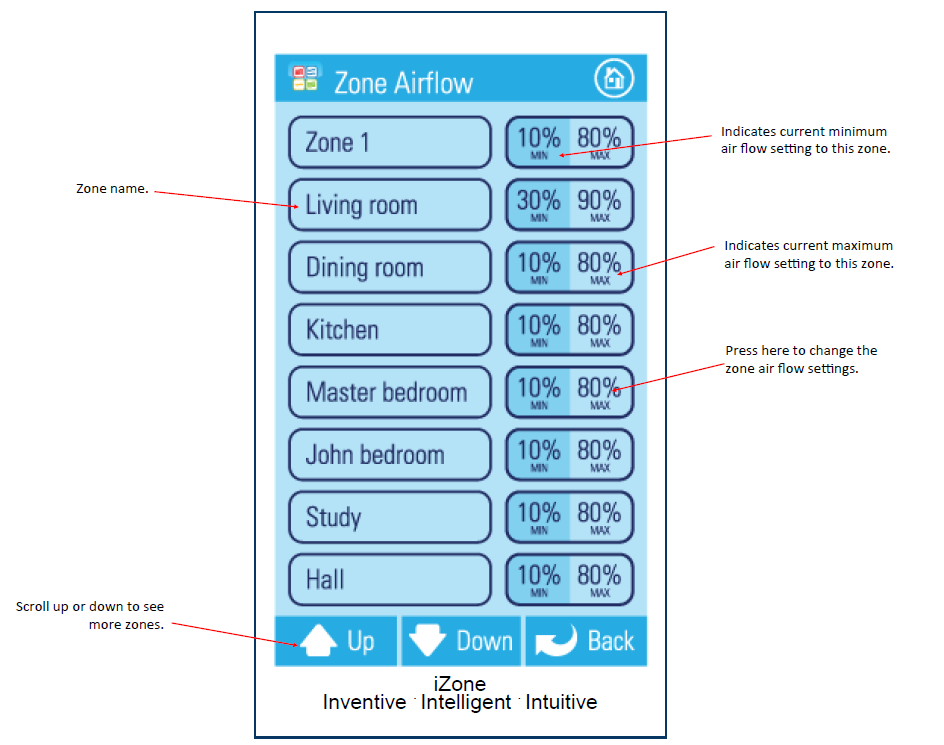
Zone Airflow Summary
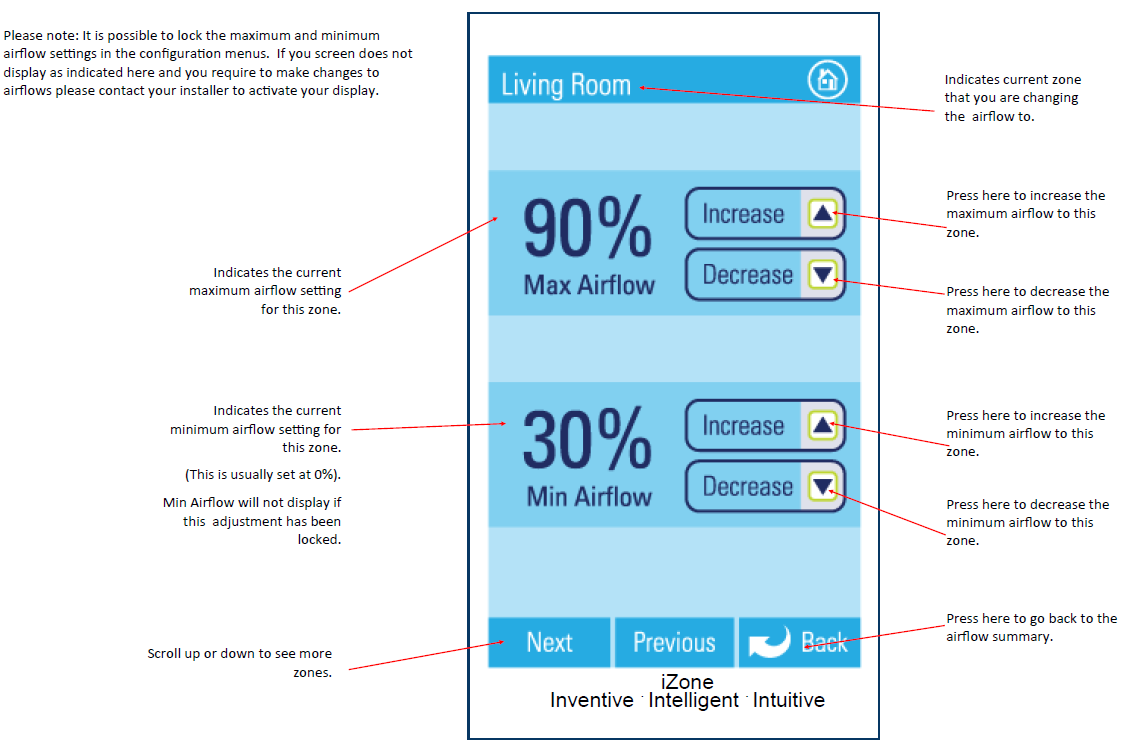
Changing Zone Airflows
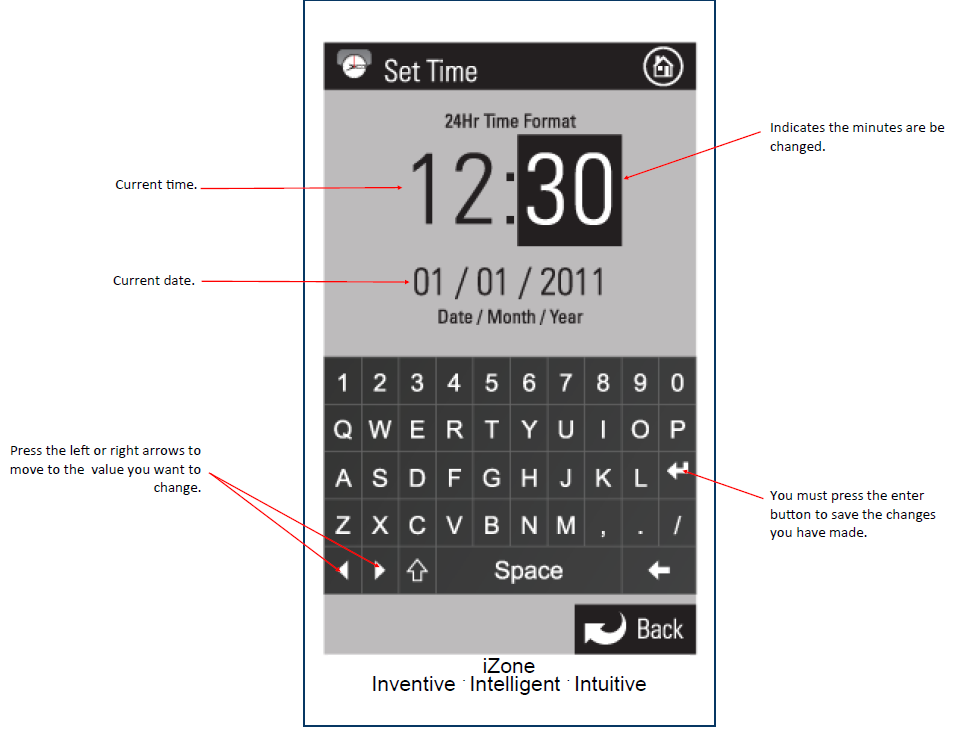
Setting the Time
Settings Menu
Configuration Menu
WARNING
Only qualified iZone installers should configure the iZone system
The configuration menu should only be used when first installing the iZone system, or when adding new devices to the system
Incorrect configuration could result in damage to your air conditioning unit
- Press the Aircon Menu icon
- Press the Config icon
- Enter the installer password to access the configuration menu